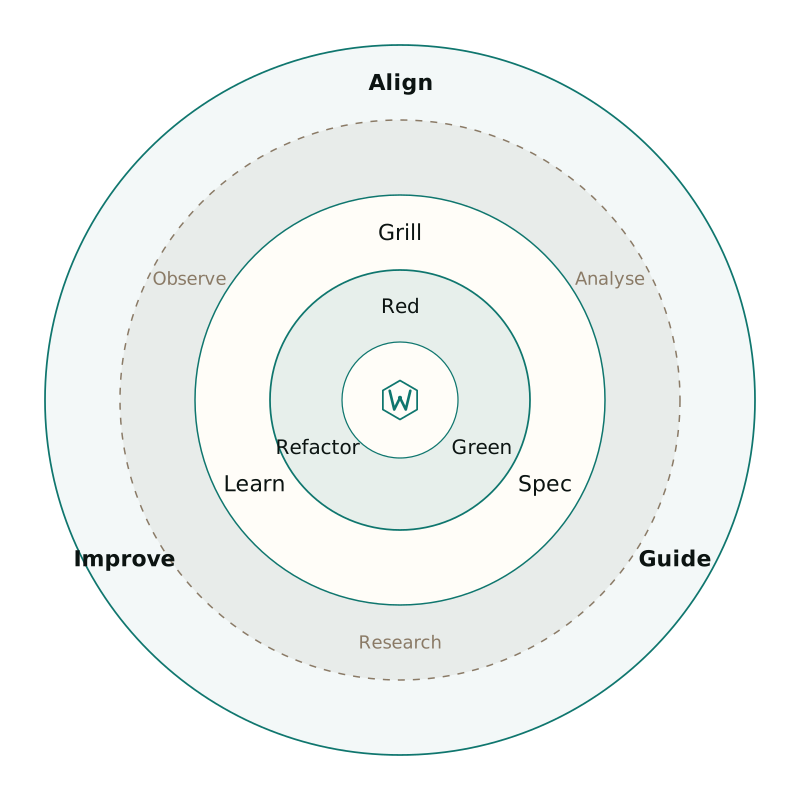
Software lifecycle for coding agents

Waykit

Grill, spec, TDD, ship, then learn

Coding agents skip spec, test impact and a release bar. Waykit is that lifecycle plus the loops that feed the next session. You run it with wk. EDD is alpha: a routing harness when the change is a prompt or a tool contract, not a complete EDD product.

  • CI passing
  • Feature lifecycle
  • Docs at waykit.dev
  • Unlicense
  • Latest GitHub release

What do I use this for today?

Pick the job in front of you. Each card opens the steps and a command you can copy.

  • I have never installed Waykit

    Get Waykit on PATH, bootstrap the repo, then run the **smallest** loop that matches the job.

    1. Install with curl | sh (git and Node 22+).
    2. Init wk init . --mcp default --hook.
    3. Pick the path: typo/debug vs product feature (Jobs for today). Optionally prove routing with the demo eval suite.

    Start here:curl -fsSL https://raw.githubusercontent.com/mzworthington/waykit/main/install.sh | sh

The wk CLI

Day to day you operate the kit with wk. On a TTY, wk with no arguments opens a guided menu. Scripts keep the same verbs: align for handshake, doctor for community files, check for the merge bar. Skills and AGENTS.md tell the agent which path to load (debug vs feature). wk help lists the rest. Every report command starts with ok, warn, or fail in a fixed column (fail is exit 1; warn stays exit 0). On a TTY those tokens are green / orange / red; NO_COLOR or a pipe stays plain. Details follow that line.

Commands from the operator guide
CommandWhat it measures or installs
wk alignConsumer handshake, host pointers, kit MCP, commit-msg (--write seeds missing AGENTS.md and pointers; --owned --scan for a worktree farm; --json for findings)
wk doctorCommunity files on owned GitHub sources (--owned, --write; --json for findings)
wk checkAudit, ontology, evals, EDD CI, context budget (--json for findings)
wk versionKit package/git describe and whether ~/.agents is this clone (--check warns if origin is weeks ahead)
wk measure-contextAlways-on bootstrap size vs 8KB
wk completion zshPrint a live tab-completion stub (wk completion install writes it once)
wk ontology checkLive graph referential integrity
wk agents generateThin host stubs under agents/ from the allowlist
wk agents installCopy stubs into ~/.cursor/agents and ~/.claude/agents (user scope)
wk agents statusLaunch vs skills-only (WK_SUBAGENTS) and the expand-kill indicator
wk agents launch-promptParent Task prompt for one allowlisted specialist
wk ontology generateWrite gitignored index for kit-knowledge and the map
wk mcp <profile>One MCP profile into Cursor, Claude, Copilot, and Antigravity
wk auditSkills and scripts supply-chain scan
wk eval ciRouting accuracy gate (EDD)
wk syncUpstream skills from the lockfile, then refresh user kit subagent stubs

Operator guide: context, MCP, check, doctor

Used on our own product repos

Waykit is not only this kit. First-party checkouts run the thin handshake, kit MCP and wk align. Open AGENTS.md if you want to see a consumer in the wild.

How we keep them aligned

One loop: a miss becomes a failing eval

Same user prompt. Without a case file you get a confident guess. With an eval you get a failing assert, a report and a merge gate. That loop is EDD alpha: useful for routing contracts, not a full eval platform.

“What is the database for the payment system?”

  • Before: eyeball the chat

    Agent
    “Typically payment systems use PostgreSQL…”
    Tool call
    None
    You ship
    A hallucination that looks polite
    How you notice
    A human scrolls the transcript, or a customer does
  • After: demo eval suite

    Case
    demo-edge expects read_architecture_yaml + payment-api
    Red
    FAIL tool_selection: no tool, conversational reply
    Green
    Tighten prompt/schema; same case passes
    Gate
    wk eval ci --suite evals/edd/demo.yaml --threshold-routing 95

Demo: a miss becomes a failing eval

Walkthrough of demo-edge from the demo suite. Case → red → report → green → CI gate. Scripted driver; no API key.

1. Case

JSONL case that should call the tool. User asks for the payment database. Expect `read_architecture_yaml` with `payment-api`, not a chatty guess.

{
  "id": "demo-edge",
  "prompt": "What is the database for the payment system?",
  "expect": {
    "tool": "read_architecture_yaml",
    "arguments_contains": { "componentId": "payment-api" }
  }
}

Where to go next